Add, Edit, And Delete Tags
Overview
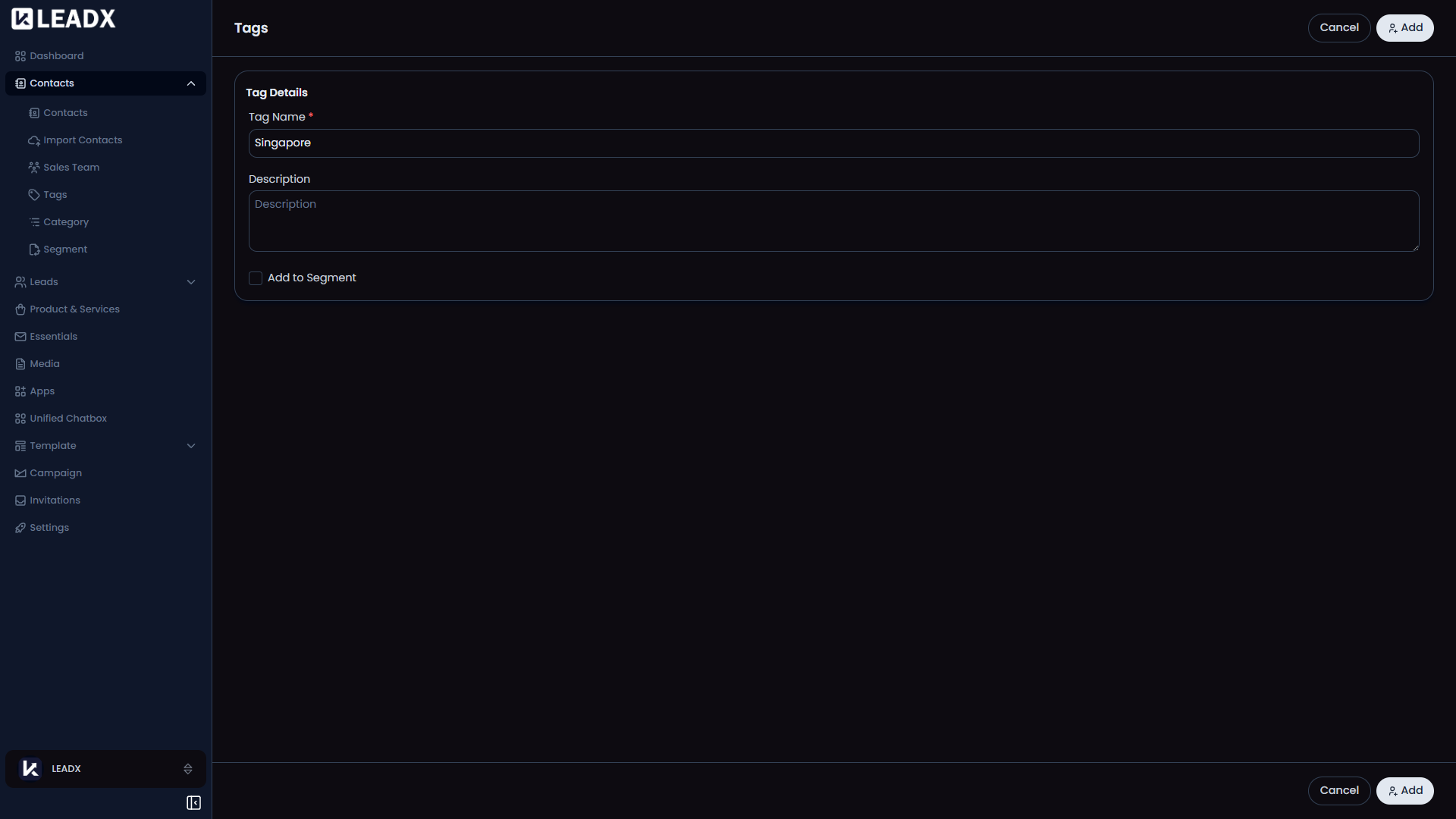
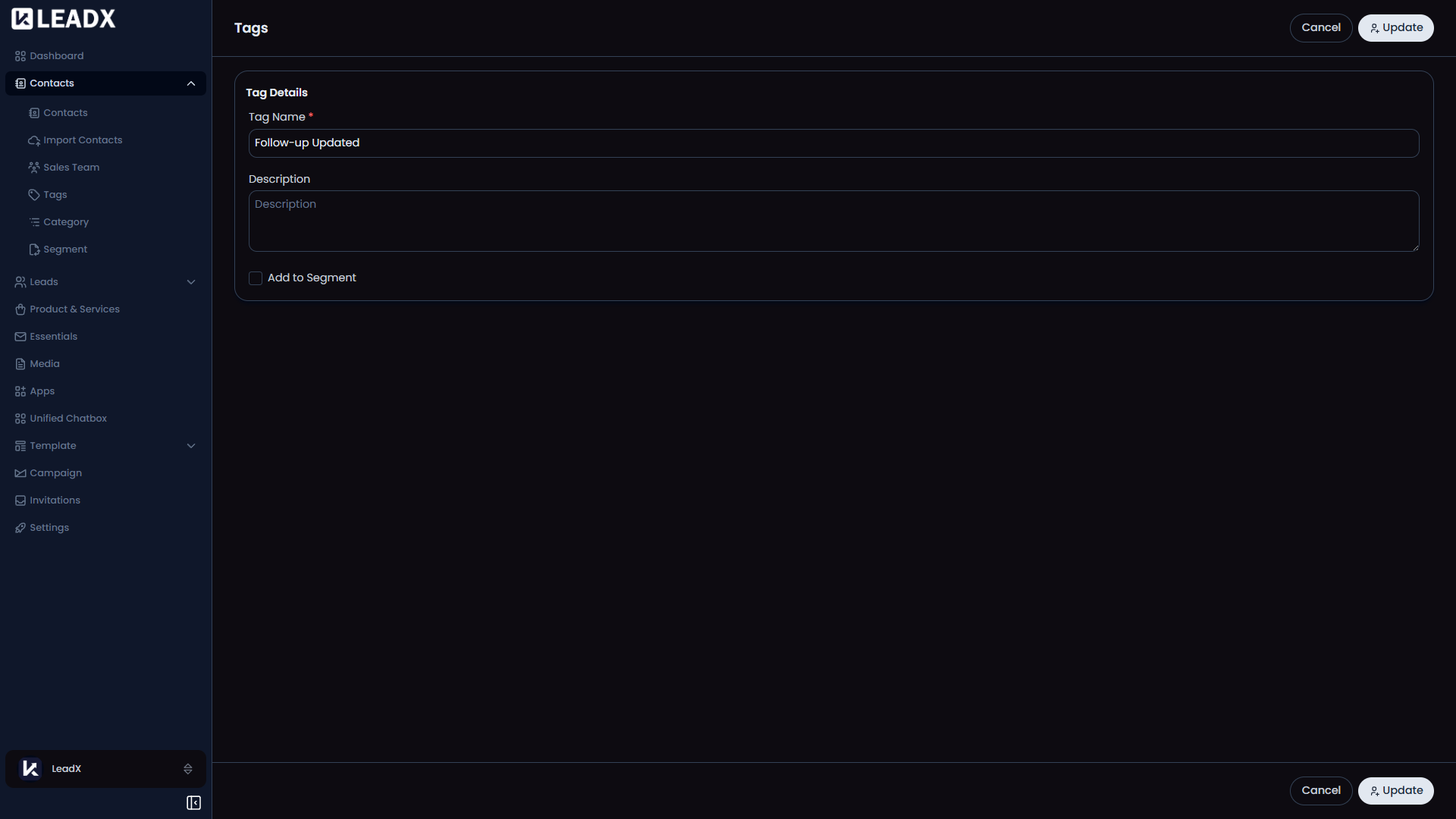
LeadX uses one simple form for adding, viewing, and editing tags. The same screen is reused, so the main difference is whether you are creating a new tag, changing an existing one, or only looking at it.
Access
- Add:
/add-tag - Edit:
/edit-tag/:id - View:
/view-tag/:id
Form Fields
Tag NameDescriptionAdd to Segment
What The User Sees
- In add mode, the main button is
Add. - In edit mode, the main button is
Update. - In view mode, the form is read-only.
CancelorBackreturns to the tags list.
Important Behavior
- The save button stays disabled until the tag name is filled in.
Add to Segmentis available when creating or editing, but not in view mode.- After saving, LeadX returns to the Tags page.
Delete
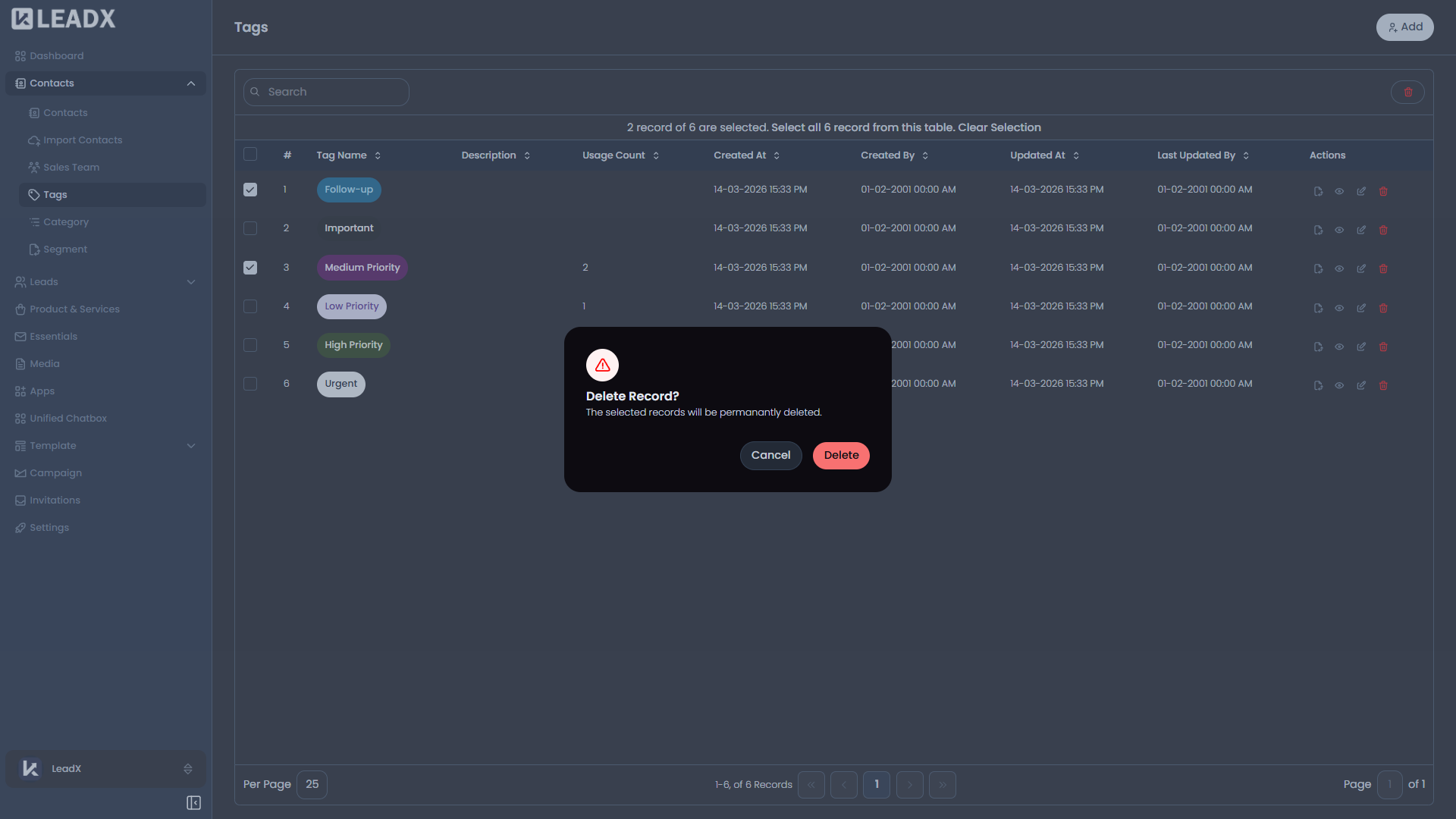
Tag deletion happens from the Tags list.
- Open the Tags page.
- Click
Deleteon the row you want to remove. - Review the confirmation message.
- Confirm to remove the tag.