Email Templates
Overview
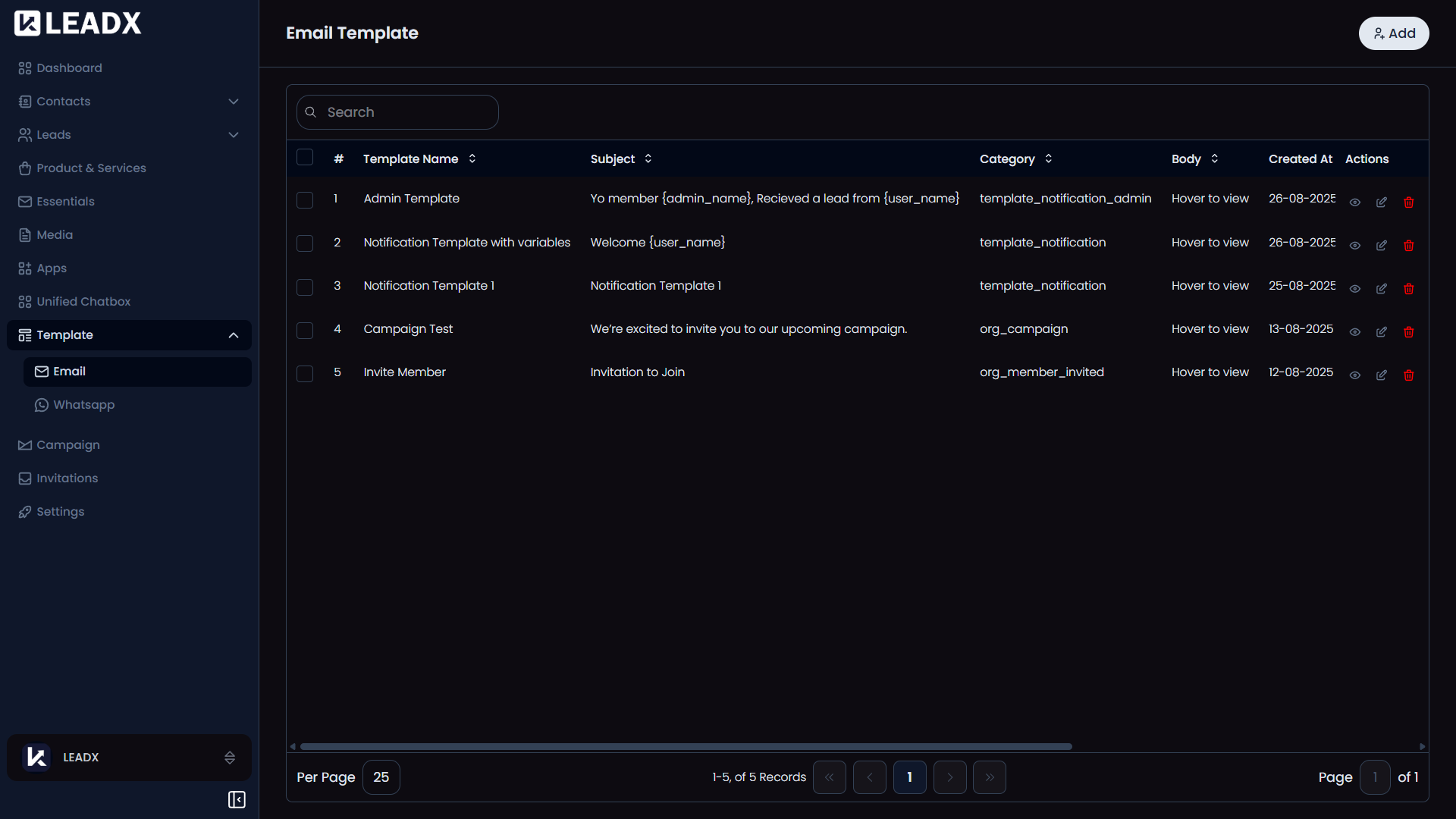
An Email Template is a reusable email — a subject, a body and any attachments — that LeadX sends on your behalf. Templates are what Campaigns send, and what the system uses for its own notifications such as invitations and verification emails.
Access
- Navigation path:
Sidebar > Template > Email - Route:
/email-template - Access: available to users who can view templates.
Prerequisites
- A connected email account to actually send anything. Set one up under SMTP. You can write and save templates without it, but nothing can be sent until an email account is connected.
- Optional: a Category to file the template under, so large template lists stay organised.
Add An Email Template
Click Add.
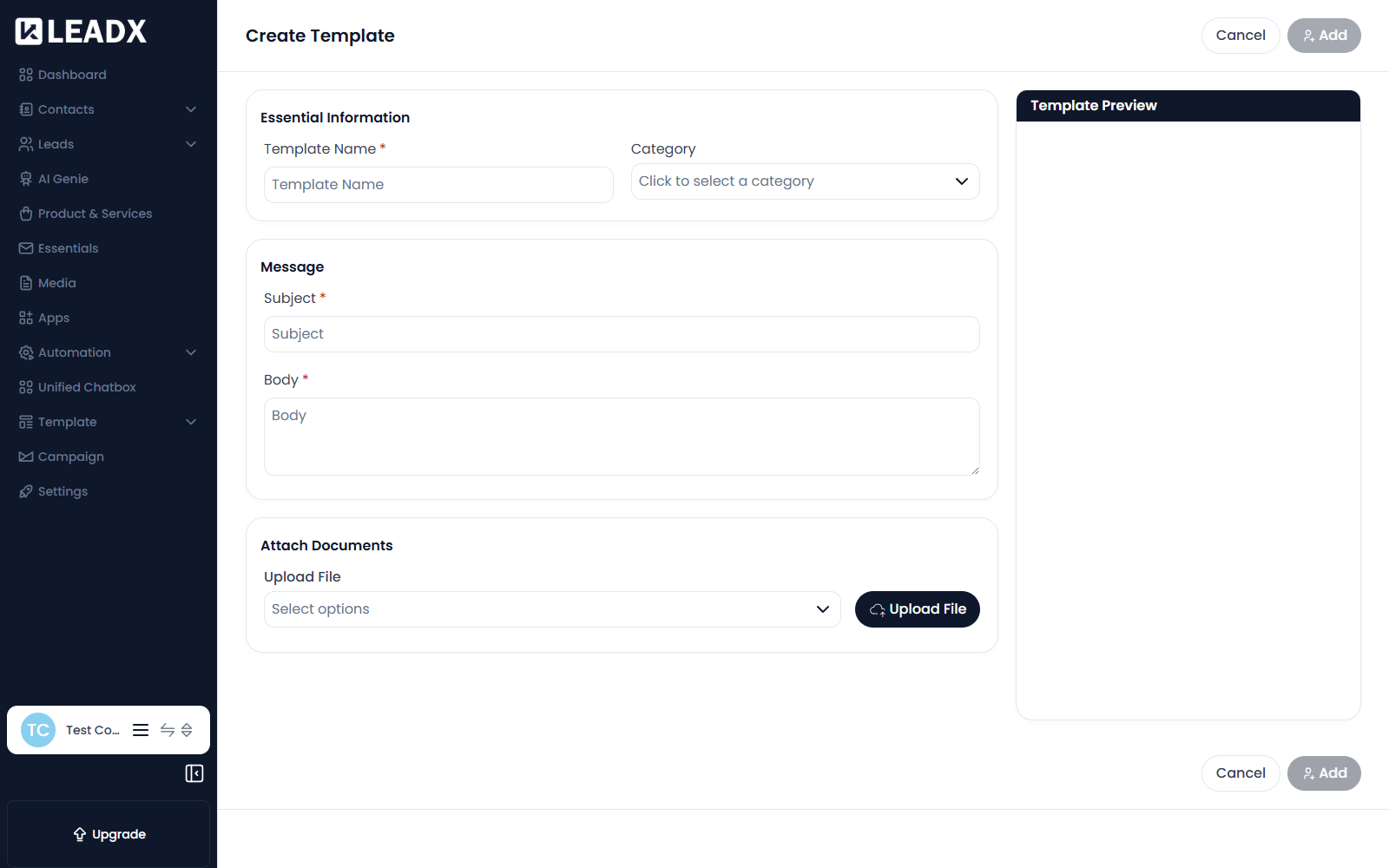
| Field | What it does |
|---|---|
| Template Name (required) | How you will recognise the template inside LeadX. Recipients never see it. |
| Category | Files the template under a category. Click to select one. |
| Subject (required) | The email's subject line. |
| Body (required) | The email itself. This is where your message goes. |
| Upload File | Attachments to send with the email. |
Steps
- Click
Add. - Enter a Template Name.
- Choose a Category if you use them.
- Write the Subject.
- Write the Body.
- Attach any files with Upload File.
- Click
Addto save.
Edit An Email Template
- Find the template in the list.
- Open it, or use its edit action.
- Change the name, category, subject, body or attachments.
- Save.
Editing a template changes what future sends use. Messages already sent are unaffected.
Delete An Email Template
- Find the template in the list.
- Open its row actions and choose delete.
- Confirm in the popup.
caution
A template that a campaign depends on should not be deleted while that campaign is still scheduled to run.
System Templates
Alongside the templates you write, LeadX keeps templates for its own messages. These cover:
- Account — Email Verification, Resend OTP for Email Verification, Forgot Password Email, Password Changed Successfully Notification
- People — Invitation Email
- Activity — Import Stats, Org Campaign, Campaign Failed
- Enquiries — User Enquiry, Admin Enquiry
- Billing — Payment Success Notification
- Chat — Chat Widget Verification
The Chat Widget Verification template is the one used when a chat widget asks a visitor to confirm their email — see Chat Widgets.
Helpful Notes
- Templates are reusable, so write them once and point several campaigns at the same one.
- Where a template is used to reach real people, check the audience in the campaign before sending — see Campaign.
- For WhatsApp messages, use WhatsApp Templates instead; the two are not interchangeable.