Essentials

Overview
The Essentials page contains extra tools that make everyday work faster and easier.
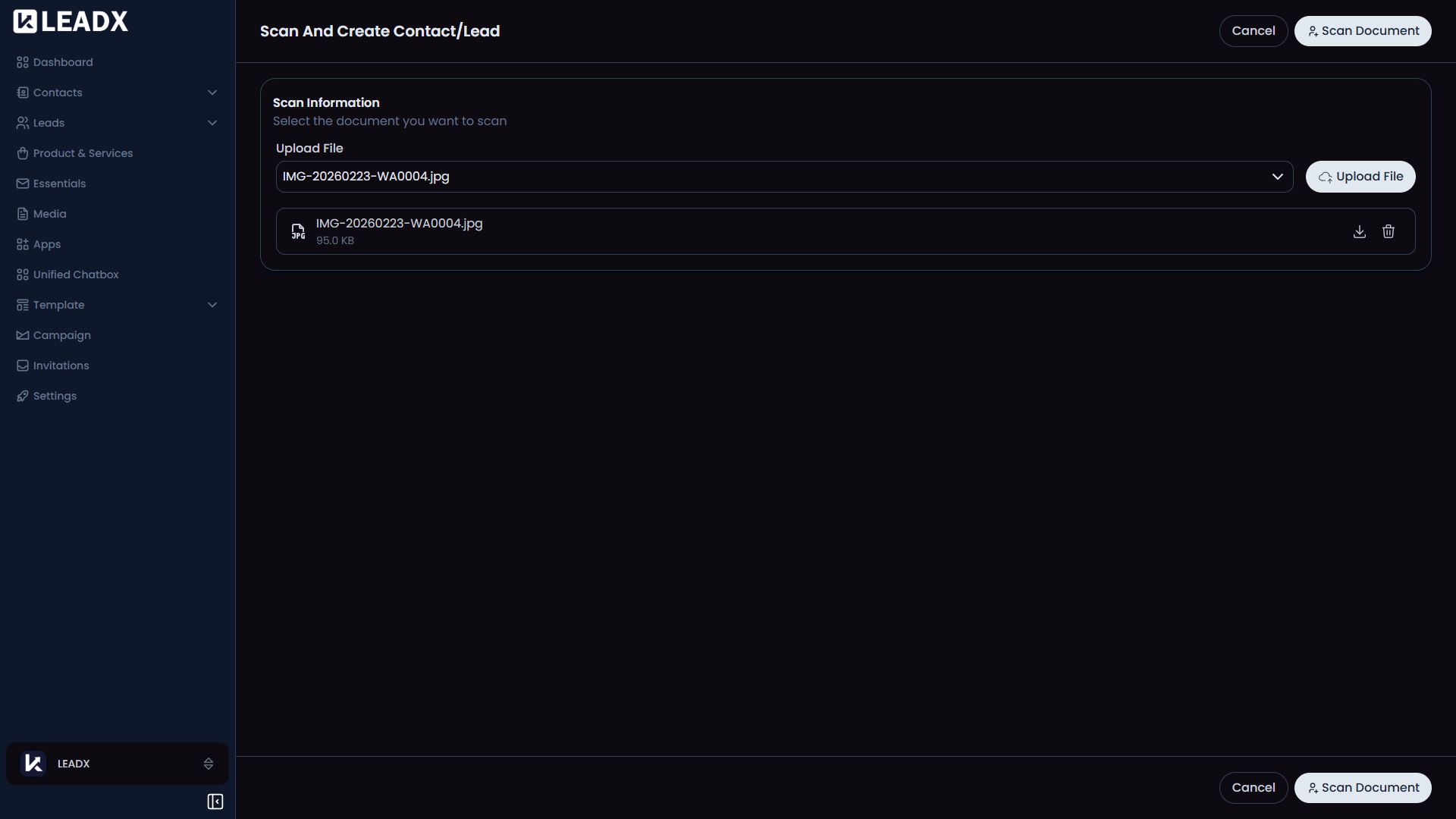
At the moment, this section includes Scan And Create, which lets you scan a business card or similar image and turn it into a contact and lead.
How To Open Essentials
Go to Sidebar > Essentials.
What You Can Do On This Page
- Open the
Scan And Createtool - Upload a business card or image with contact details
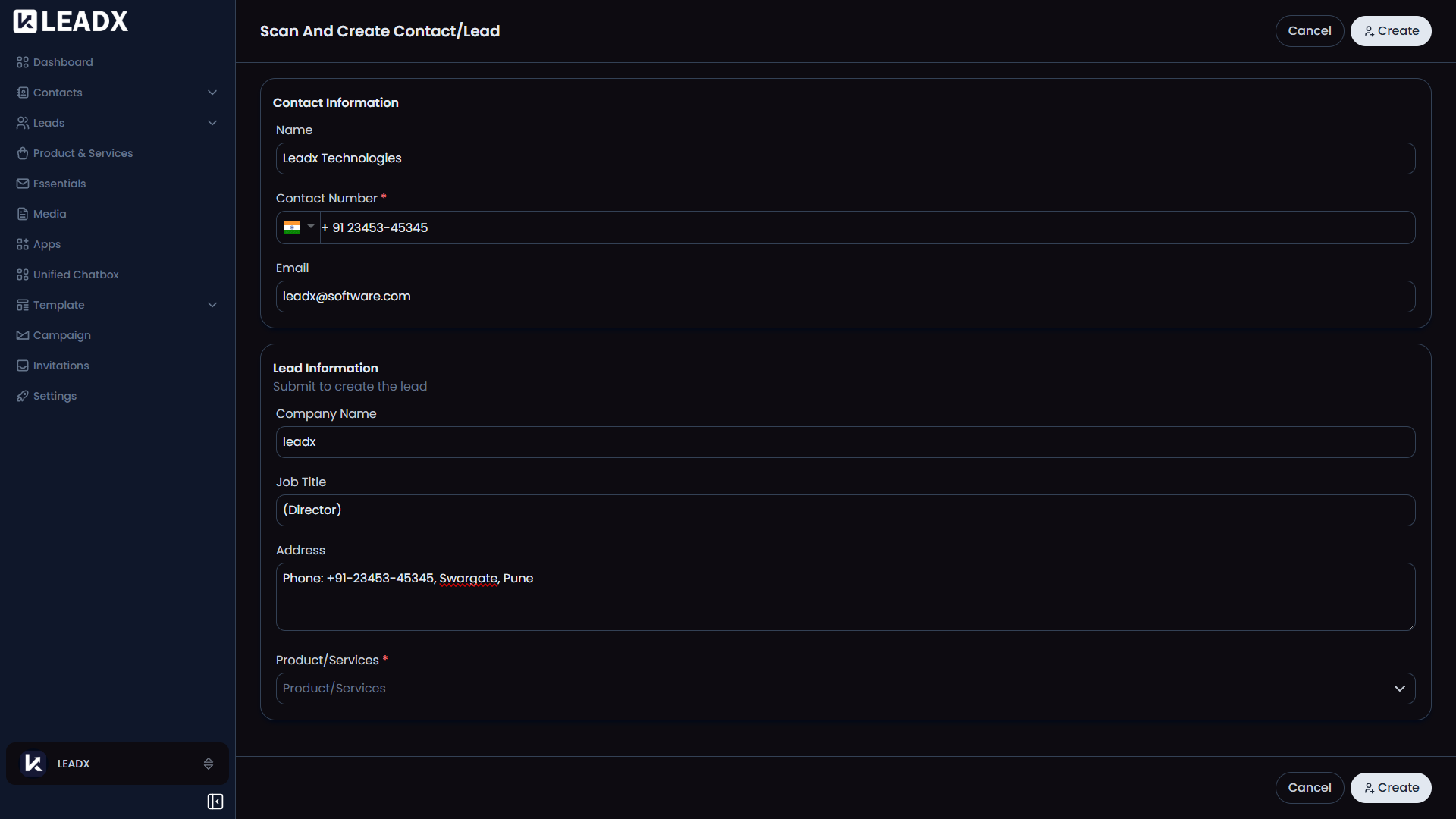
- Extract information from the image
- Create a contact and lead from the scanned details
Scan And Create
This tool is useful when you meet someone offline and want to quickly save their information without typing everything manually.
The usual flow is:
- Upload a card or image
- Run the scan
- Review the extracted details
- Make changes if needed
- Create the contact and lead
Helpful Notes
- This feature helps reduce manual data entry
- It is especially useful for sales teams, events, and networking meetings
- The scan result can be reviewed before anything is saved