Unified Chatbox
Overview
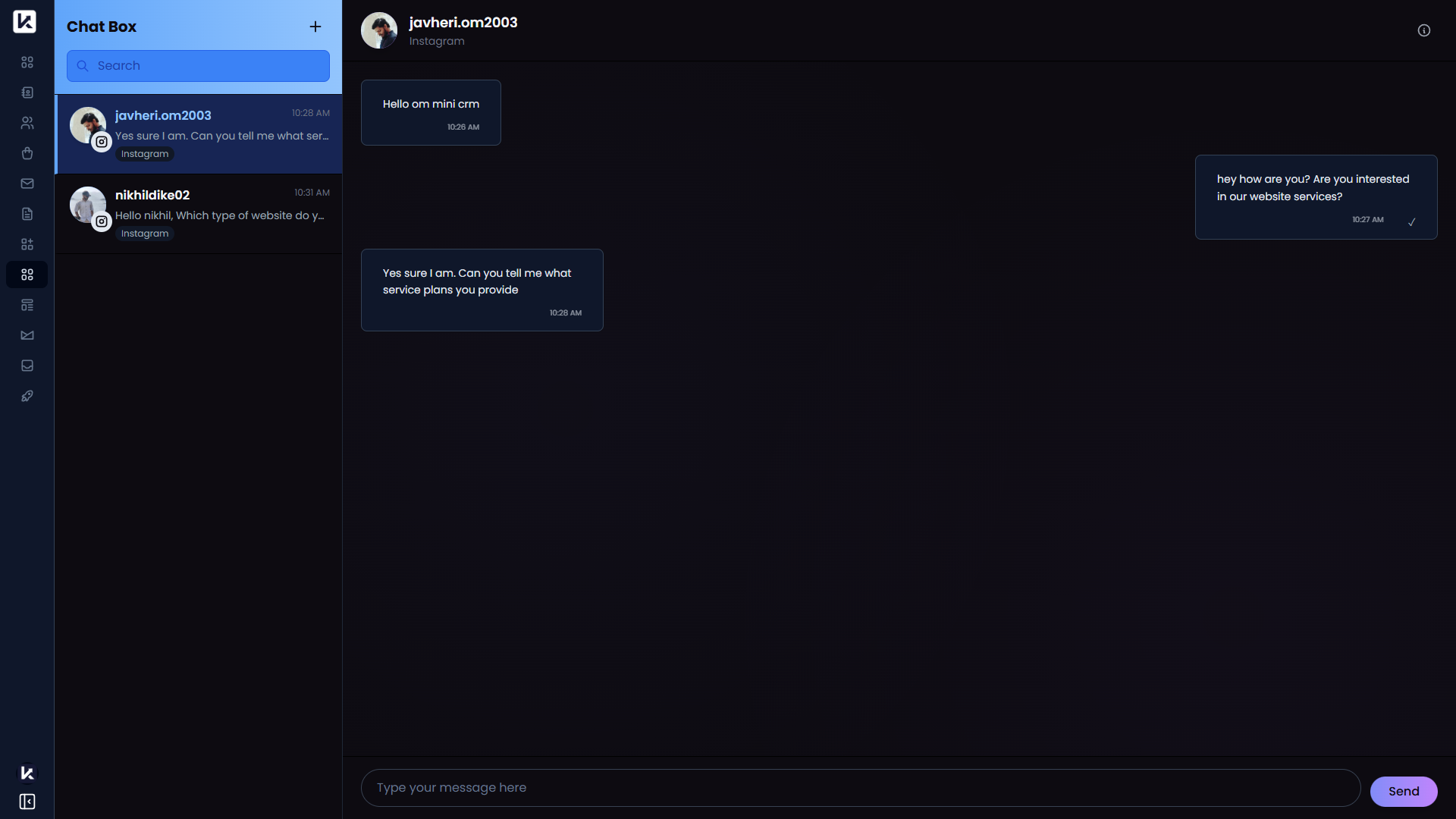
The Unified Chatbox brings messages from different channels into one place.
Instead of switching between multiple apps, your team can manage conversations together from a single screen.
At the moment, LeadX supports WhatsApp and Instagram here, and more channels such as email and SMS can be added over time.
How To Open Unified Chatbox
Go to Sidebar > Unified Chatbox.
What You Can Do On This Page
- View conversations from multiple channels in one place
- Search for conversations
- Open a chat and continue the conversation
- Start a new conversation when supported
Main Parts Of The Page
Conversation List
The left side shows your conversation list, so you can quickly move between chats.
Chat Window
The main area shows the selected conversation, where you can read messages and reply.
New Conversation
You can start a new conversation by choosing a contact and the channel or account you want to use.
Helpful Notes
- Unified Chatbox helps teams manage customer communication from one place
- It is especially useful when you handle messages from more than one channel
- Connected apps such as WhatsApp and Instagram are required for those channels to appear here