WhatsApp Templates
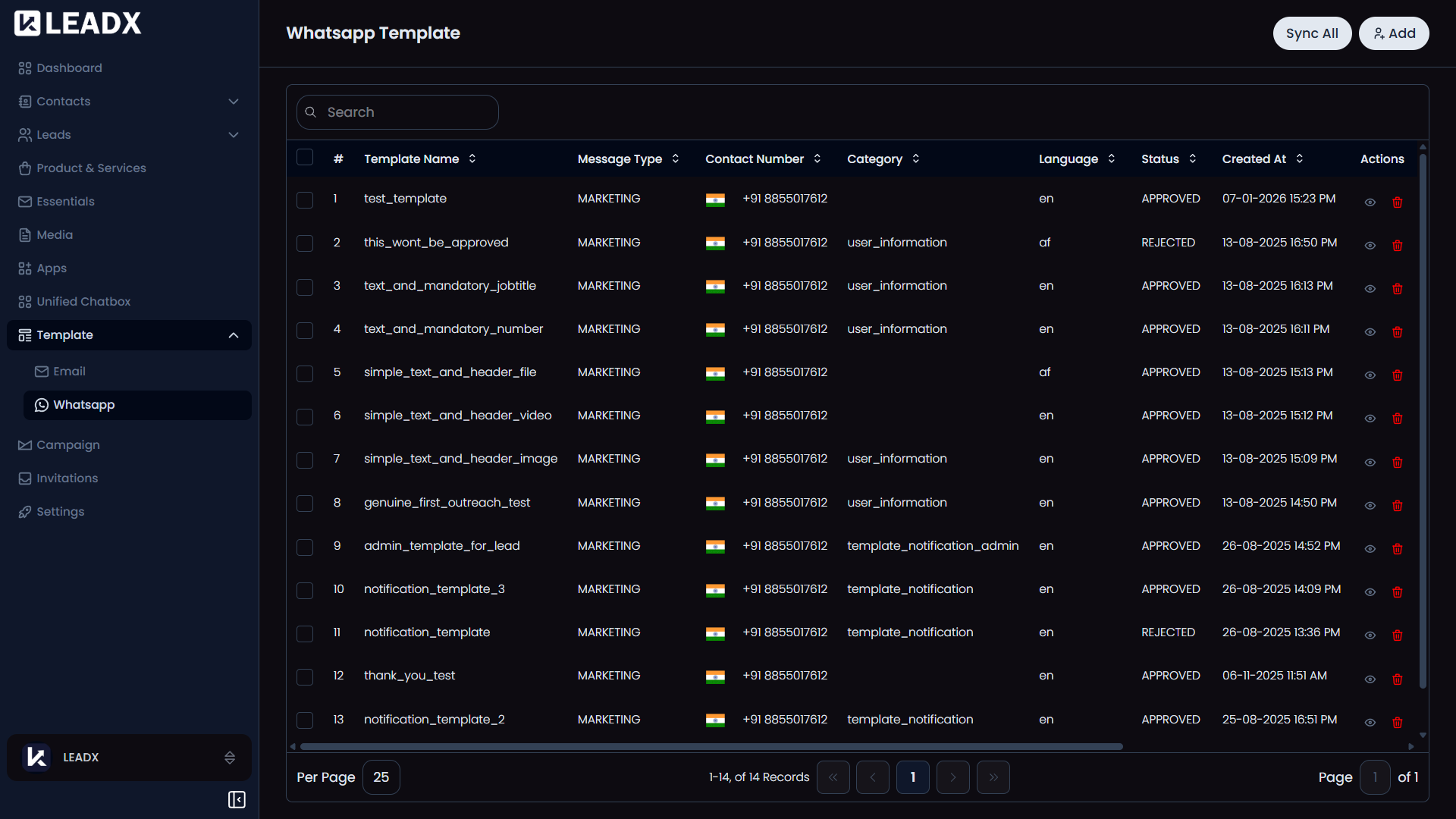
Overview
A WhatsApp Template is a reusable WhatsApp message. WhatsApp does not let businesses send freeform messages to people who have not recently messaged them, so outreach must use a template that Meta has approved in advance.
That approval step is the main difference from Email Templates.
Access
- Navigation path:
Sidebar > Template > Whatsapp - Route:
/whatsapp-template - Access: available to users who can view templates.
Prerequisites
- A connected WhatsApp account. Set one up under WhatsApp first — the form asks which Contact Number the template belongs to, and that list comes from your connected WhatsApp apps. Without one you cannot create a template.
- Optional: a Category to file the template under.
Add A WhatsApp Template
Click Add.
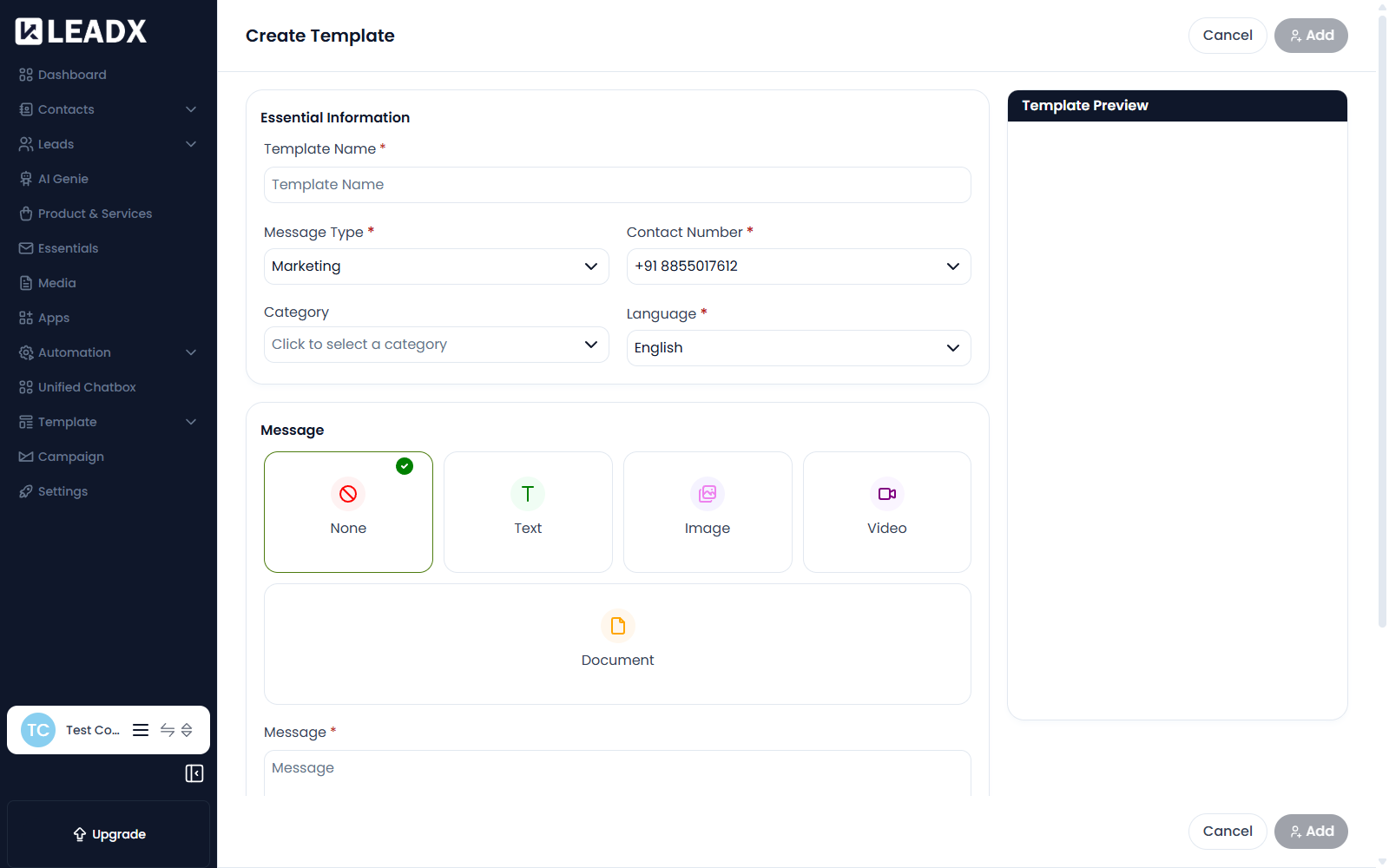
| Field | What it does |
|---|---|
| Template Name (required) | The template's name. Meta requires lowercase letters and underscores only. |
| Message Type (required) | Marketing for promotional messages, or Utility for transactional ones such as confirmations and updates. Meta treats the two differently. |
| Contact Number (required) | Which of your connected WhatsApp numbers this template belongs to. |
| Category | Files the template under a category inside LeadX. |
| Language (required) | The language the message is written in. A long list is available, from English through regional variants such as Arabic (UAE) and Bengali (IND). |
| Message (required) | The body of the message. |
| Footer | An optional line of small print at the bottom. |
Buttons
You can add interactive buttons, within Meta's limits:
| Button type | Limit | What it does |
|---|---|---|
| Call Contact Number | 1 | Dials a phone number you specify |
| URL | 2 | Opens a web address |
| Copy Code | 1 | Copies a code, such as a discount code, to the clipboard |
| Quick Replies | 6 | One-tap replies the recipient can send back |
Steps
- Click
Add. - Enter a Template Name using lowercase and underscores.
- Choose the Message Type —
MarketingorUtility. - Pick the Contact Number the template belongs to.
- Choose the Language.
- Write the Message, and a Footer if you want one.
- Add any buttons.
- Click
Addto submit it.
Approval
A submitted template goes to Meta for review. It cannot be used to send until Meta approves it.
Submission reaches Meta's systems and cannot be undone from LeadX. A rejected template counts against your account's quality rating, so check the wording carefully before submitting — particularly for Marketing templates, which are held to a stricter standard.
Approval usually takes a short while. The template's status in the list tells you where it stands.
Edit A WhatsApp Template
Templates already submitted to Meta cannot be freely rewritten the way an email template can. In practice you create a new template rather than substantially changing an approved one.
Delete A WhatsApp Template
- Find the template in the list.
- Open its row actions and choose delete.
- Confirm in the popup.
Do not delete a template a scheduled campaign still depends on.