Add Segment
Overview
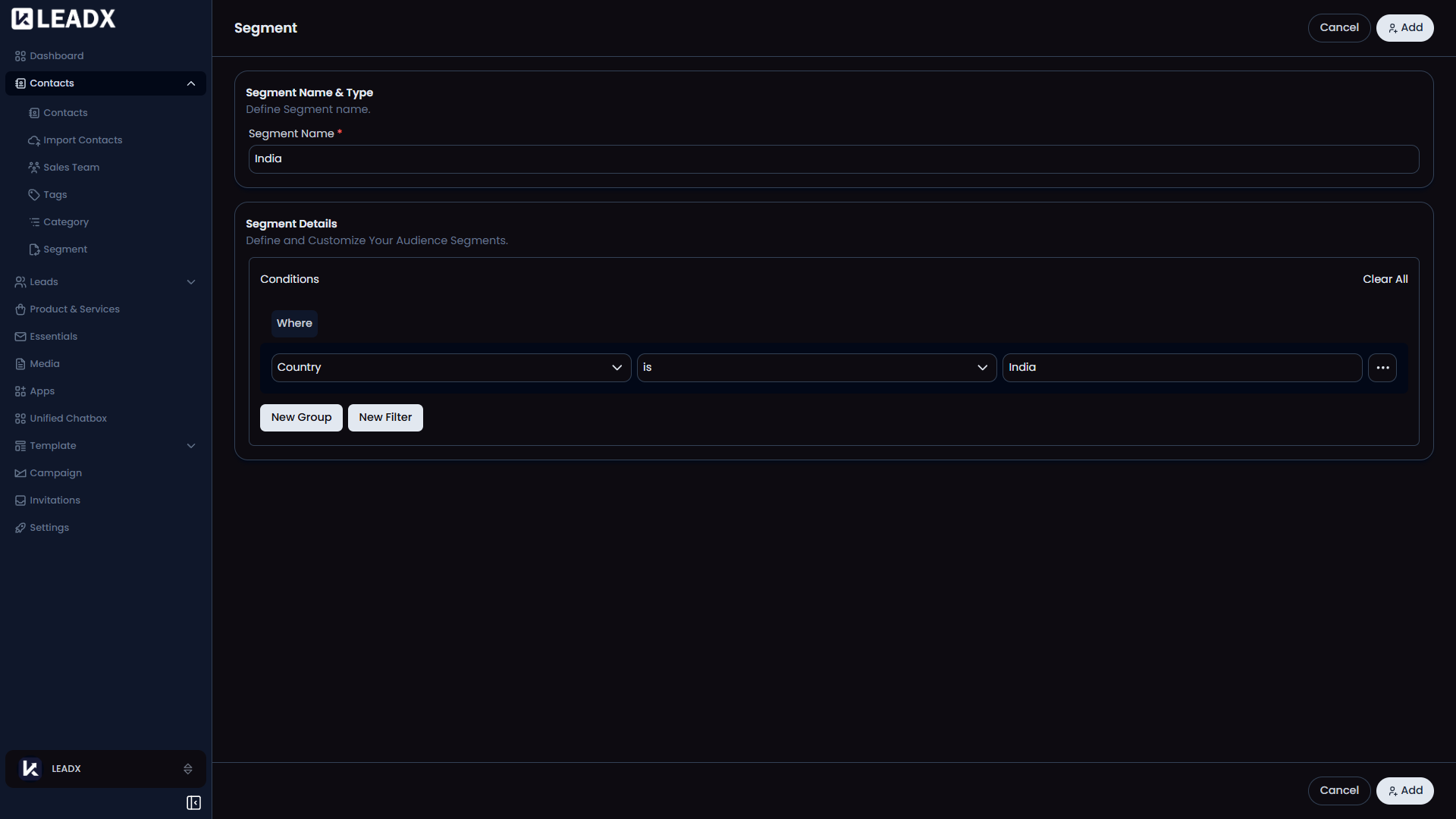
The Add Segment page helps users build a saved contact group by choosing rules. Instead of selecting contacts one by one, users describe the kind of contacts they want, and LeadX saves those rules as a segment.
Access
- Route:
/add-segment - Access: available to users who can create segments.
What Users Can Do
- enter a segment name
- add one or more filter rules
- group rules together when needed
- choose how those rules should match contact data
- save the segment for later use
How The Builder Works
- Start by entering a name for the segment.
- Add a filter to choose a field, a condition, and a value.
- Add more filters if needed.
- Use groups when you want to combine several rules together.
- Use
Clear Allif you want to start over.
Important Behavior
- LeadX only lets users save the segment after the name and all rule details are filled in.
- Each rule must have a field, condition, and value.
- After saving, the user returns to the Segments page.