Offline Meeting
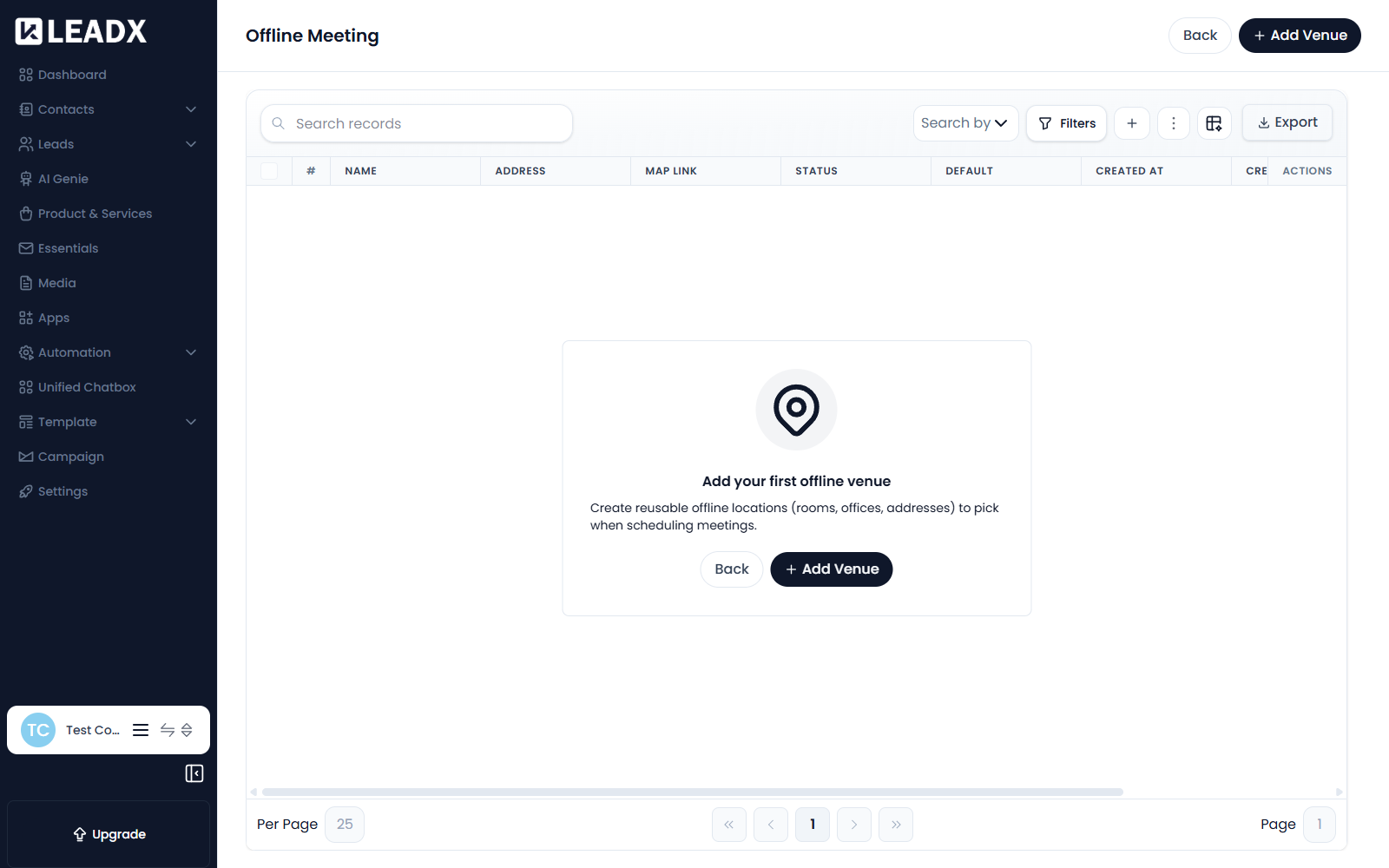
Overview
Offline Meeting is where you save the physical places your team meets people — rooms, offices, addresses.
Create reusable offline locations (rooms, offices, addresses) to pick when scheduling meetings.
Saving a venue once means you can pick it from a list when scheduling, instead of retyping the address every time.
Access
- Navigation path:
Sidebar > Apps > Offline Meeting - Route:
/apps/offline-meeting
Prerequisites
None. Unlike Zoom or Google Calendar, there is no external account to connect — a venue is just information you save.
Add A Venue
Click Add Venue.
| Field | What it does |
|---|---|
| Venue Name (required) | What the place is called, for example Head Office — Meeting Room 2. This is what you pick from when scheduling. |
| Address | Full address of the venue. |
| Google Maps Link | A map link, so attendees can navigate straight there. |
| Notes | Optional notes (parking, entrance, floor, etc.). |
There is also a status control that decides whether this venue is available when scheduling — use it to retire a place without deleting its history.
Steps
- Go to
Sidebar > Apps > Offline Meeting. - Click
Add Venue. - Enter the Venue Name.
- Add the Address and a Google Maps Link.
- Add any Notes attendees would find useful.
- Click
Add Venue.
Table Details
| Column | Meaning |
|---|---|
| Name | The venue's name |
| Address | Its full address |
| Map Link | The Google Maps link, if you added one |
| Status | Whether the venue can be chosen when scheduling |
| Default | Whether it is offered first |
| Created At / Created By | When it was added, and by whom |
| Updated At | When it last changed |
| Actions | View, edit and delete controls |
Edit Or Delete A Venue
Use the row actions to update a venue's details or remove it. Meetings already scheduled at that venue keep the details they were created with.
Helpful Notes
- Before you add anything the page shows Add your first offline venue.
- Set a venue's status rather than deleting it when you simply stop using a room — that keeps past meetings readable.
- Notes are the most useful and most skipped field. Parking, which entrance to use, and which floor save your visitors a phone call.