Add Lead
Overview
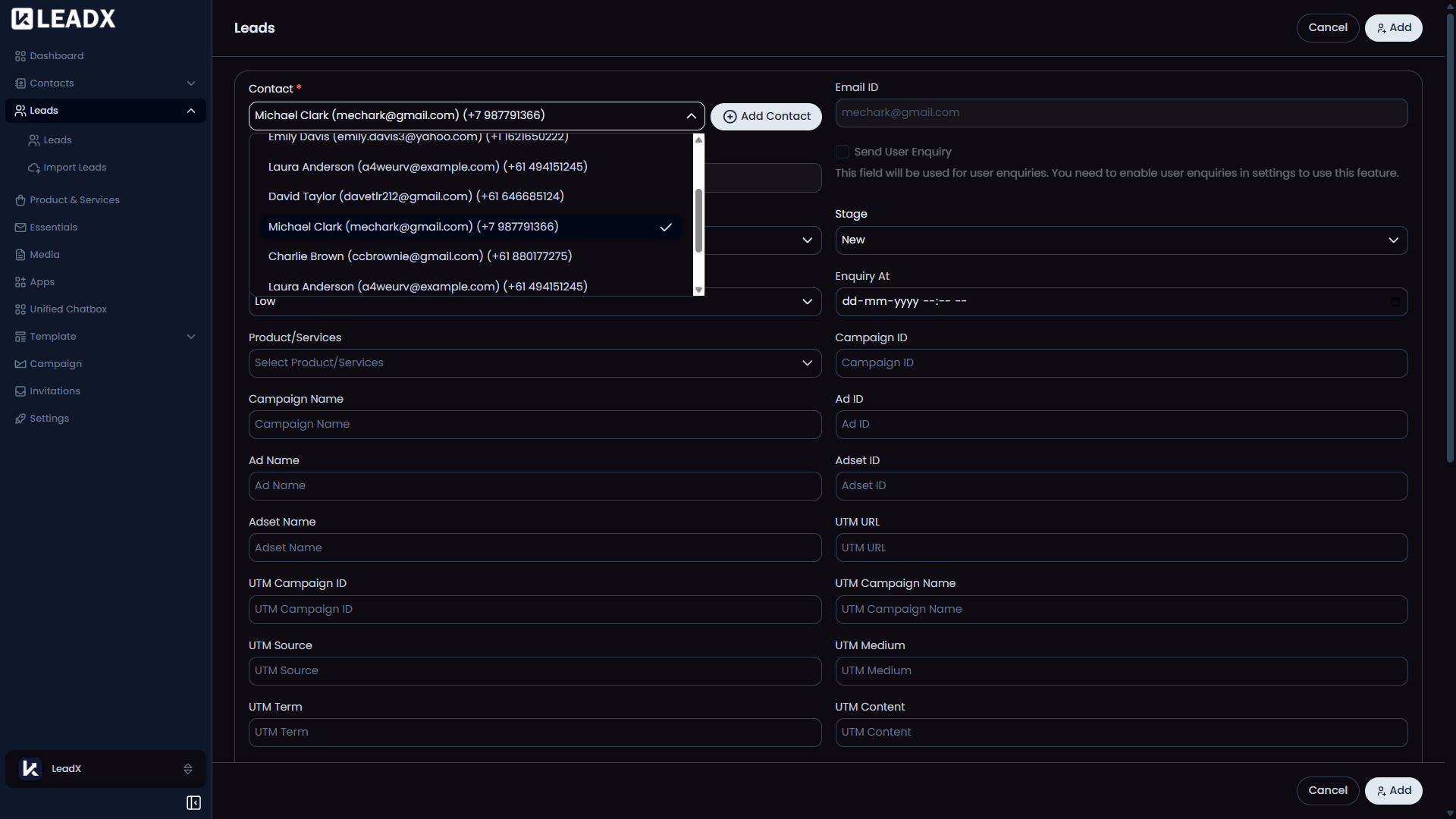
The Add Lead page is used when a user wants to create a new lead manually. It combines lead details with linked contact information so the record is ready for follow-up right away.
Access
- Route:
/add-lead - Access: available to users who can create leads.
What Users Can Do
- choose an existing contact for the lead
- add a contact without leaving the page if needed
- fill in lead details
- review related email and WhatsApp details
- save the new lead
Contact Area
- The
Contactfield helps users find an existing contact. - Once a contact is selected, LeadX fills in key contact details automatically.
- This helps reduce manual typing and keeps lead records connected to the right person.
Inline Add Contact Modal
- If the needed contact does not exist yet, users can click
Add Contact. - A small contact form opens without leaving the lead page.
- After saving, the new contact is selected automatically.
Helpful Panels
WhatsApp MessageEmail Message
These panels help users review communication details while setting up the lead.
Important Notes
- The inline
Add Contactoption appears only for users who are allowed to create contacts. - After saving, LeadX returns to the Leads page.