Roles & Permissions
Overview
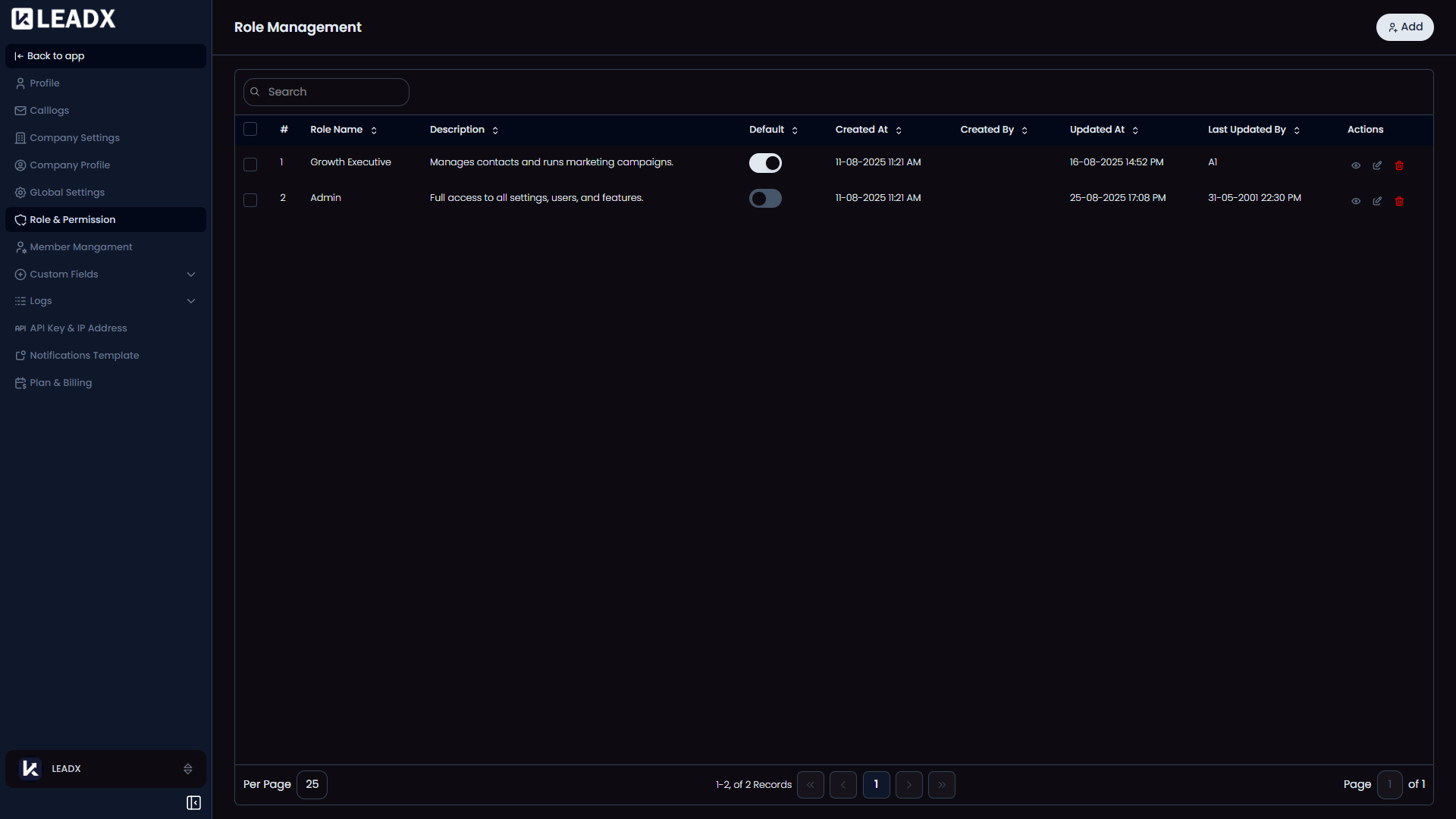
The Roles & Permissions page is where admins control what different member roles are allowed to do in LeadX.
Access
- Navigation path:
Sidebar > Settings > Role & Permission - Route:
/role-permission - Access: available to users who can view roles and permissions.
What Users Can Do
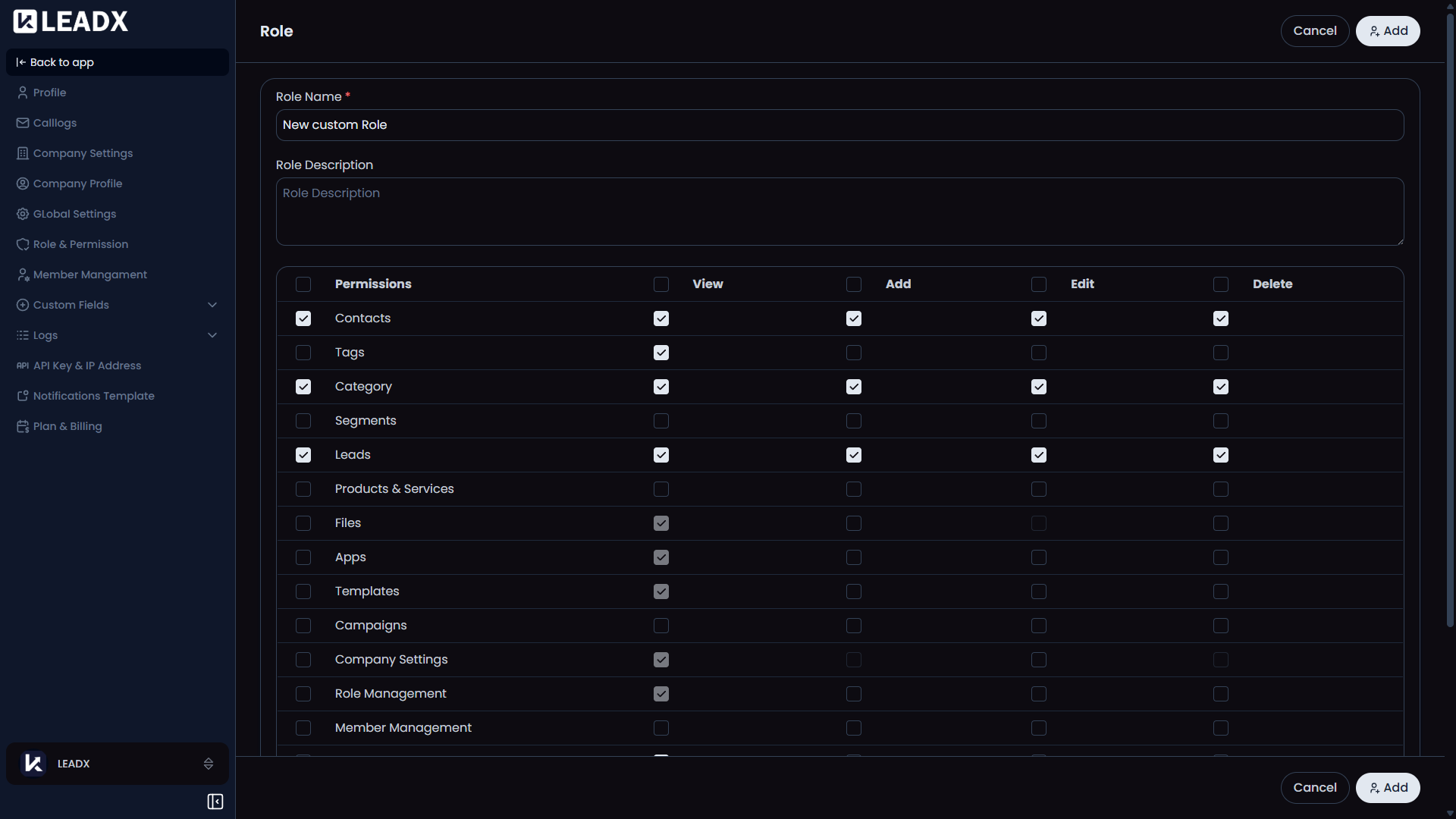
- create a role
- review saved roles
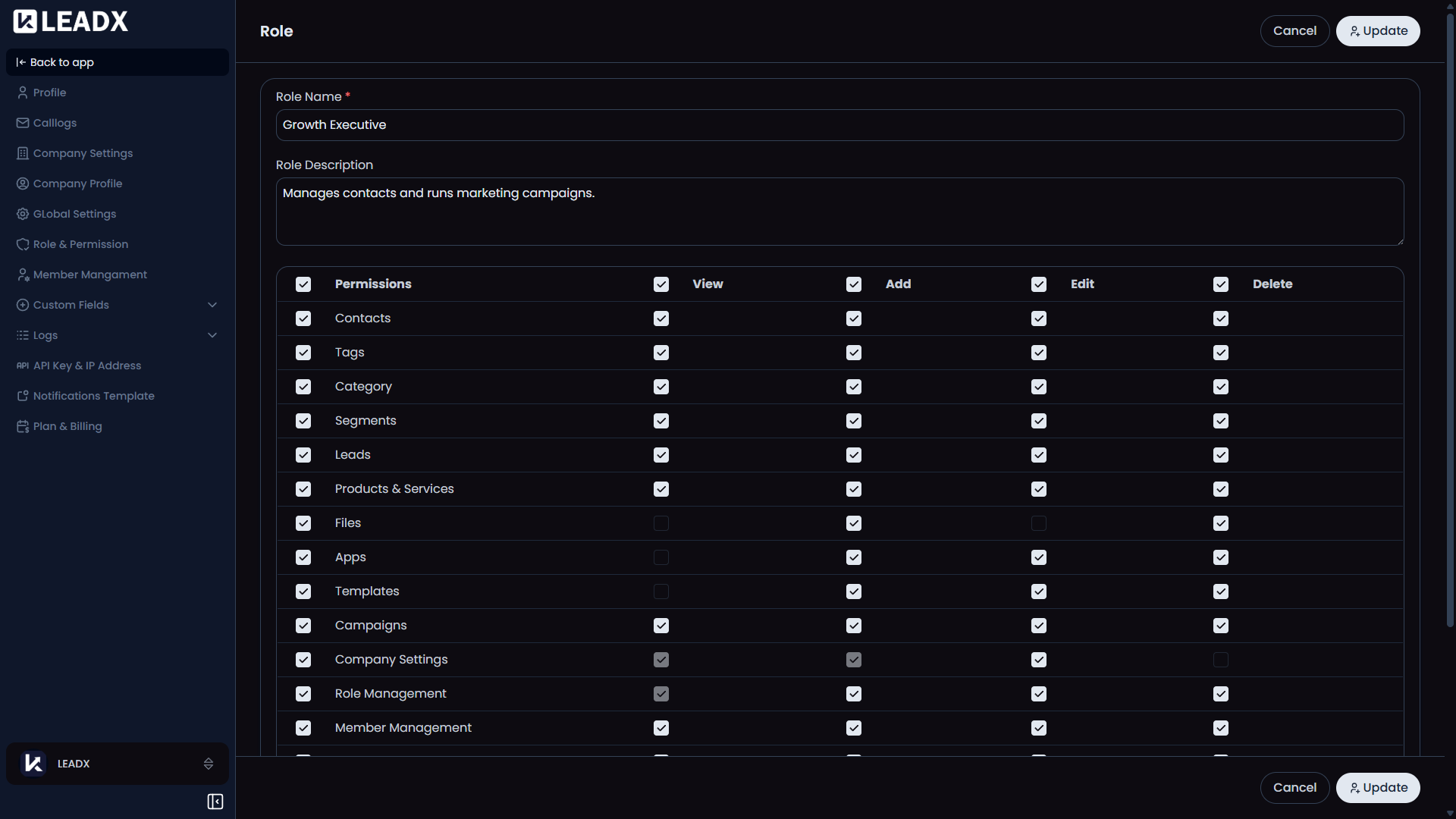
- edit role details
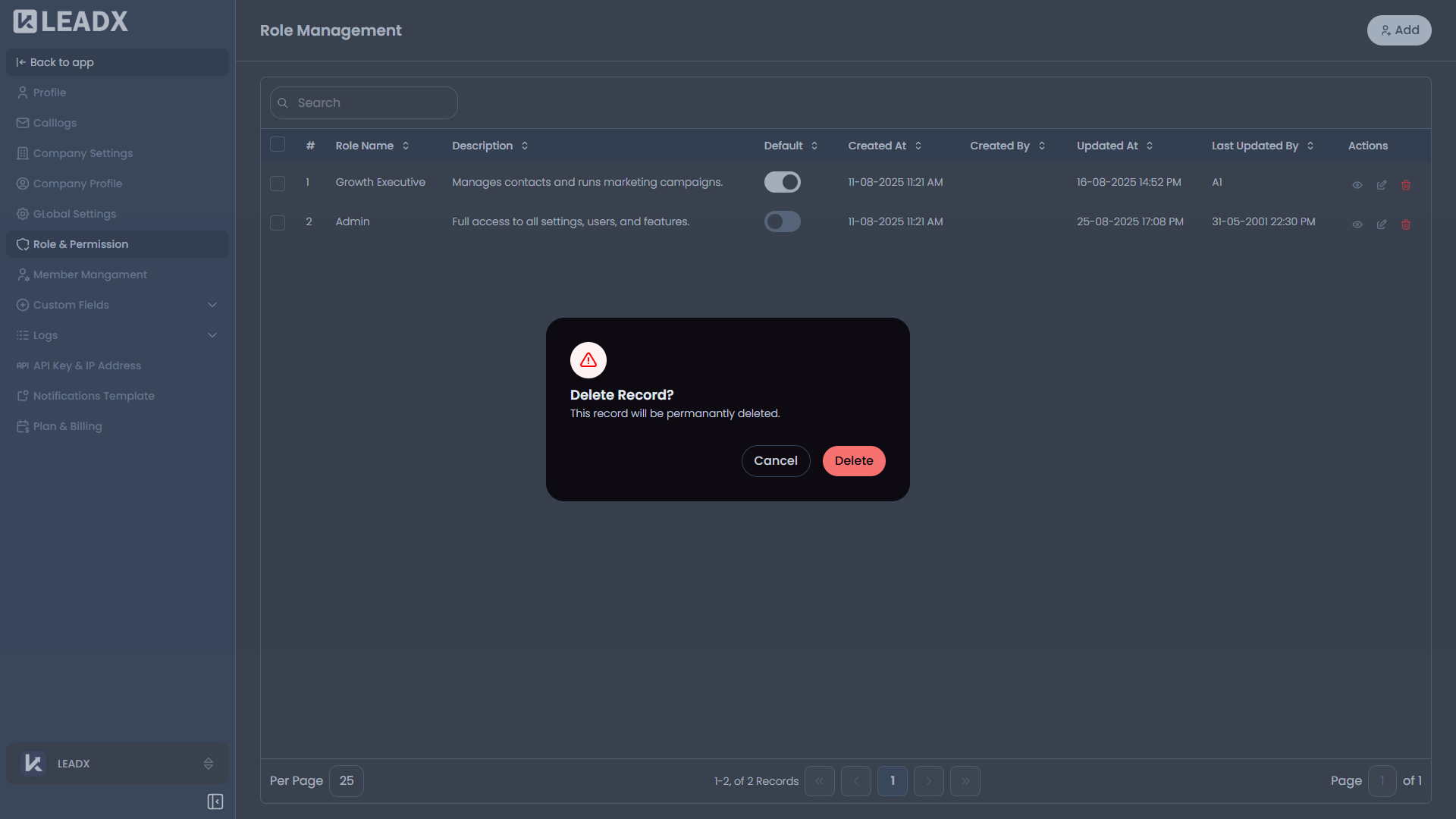
- delete roles when allowed
- choose the default role
- decide what each role can view, add, edit, or delete
List Page
- Main button:
Add - The table shows:
- role name
- description
- default role status
- created and updated details
- Row actions include:
- view
- edit
- delete
Role Form
- Add:
/add-role-permission - Edit:
/edit-role-permission/:id - View:
/view-role-permission/:id
Main Form Areas
- Role Name required
- Role Description optional
- permission table for each module and action
Helpful Notes
- The default role cannot simply be turned off on its own row without choosing another default.
- In view mode, the permission table is read-only.
- If a user updates the same role they currently belong to, the new access rules can take effect in the interface right away.