Notifications Template
Overview
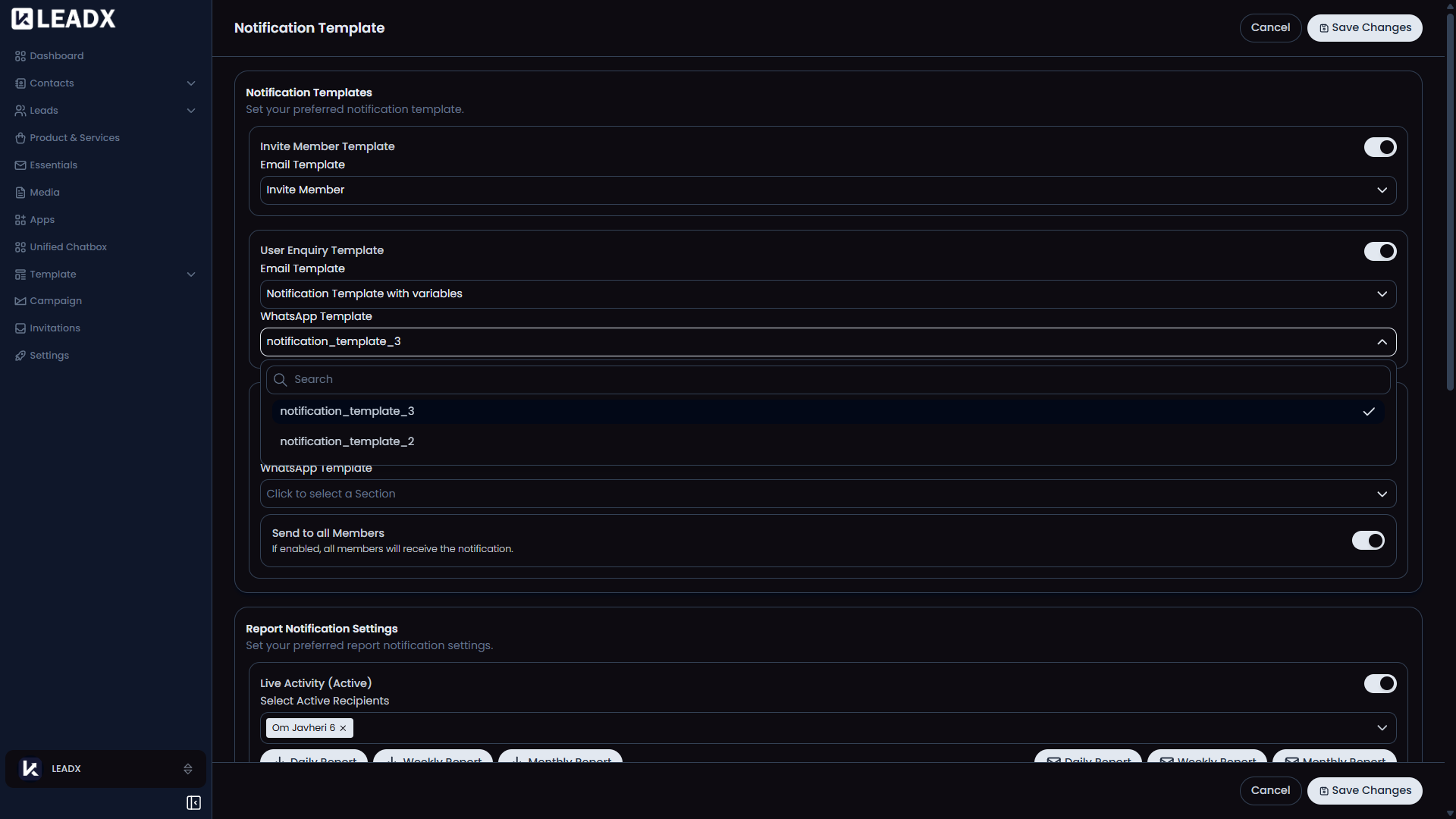
The Notifications Template page is where users choose which saved email and WhatsApp templates should be used for important system messages.
Access
- Navigation path:
Sidebar > Settings > Notifications Template - Route:
/notification-templates - Access: available to users who can open company settings.
- Saving changes is available to users who can update company settings.
What Users Can Do
- choose templates for member invitations
- choose templates for user enquiries
- choose templates for admin enquiry notifications
- choose who should receive admin enquiry notifications
Page Layout
- toggle sections for each notification type
- email template selection
- WhatsApp template selection
- recipient selection for admin enquiry notifications
Save Changesbutton
Important Notes
- If admin enquiry email or WhatsApp notifications are enabled, at least one recipient must be selected unless
selectAllis enabled. - After saving, the new notification choices are applied right away.