Report Settings
Overview
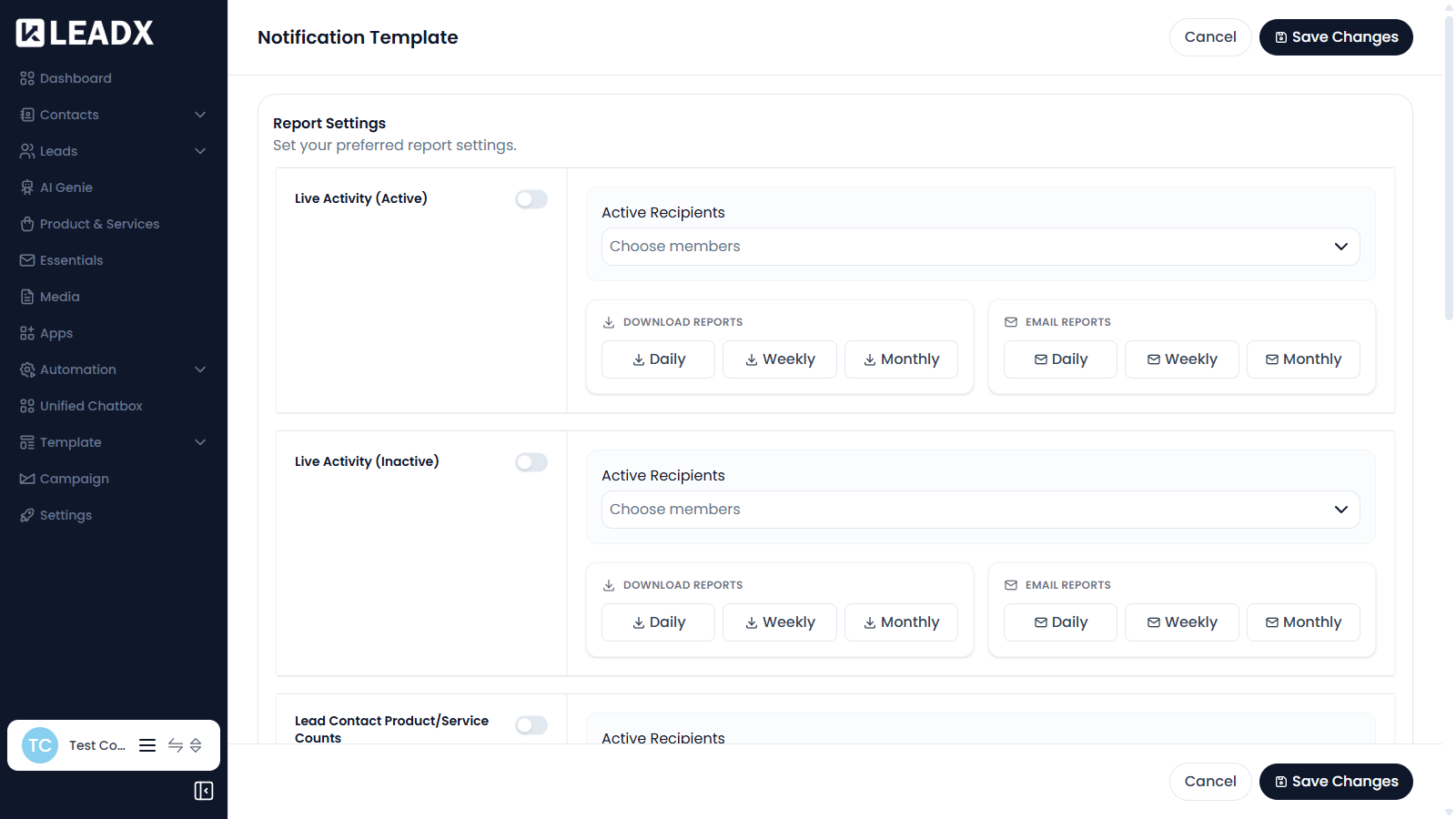
Report Settings is where you choose which reports LeadX prepares, who receives them, and how often. Reports can be made available to download, emailed out on a schedule, or both.
Access
- Navigation path:
Sidebar > Settings > Report Settings - Route:
/report-settings - Access: available to users who can manage report settings.
Available Reports
- Live Activity (Active)
- Live Activity (Inactive)
- Lead Contact Product/Service Counts
- Lead Stats By Stage
- Lead Stats By Stage By Members
- Lead Stats By Stage By Product/Service
- Lead Stats By Stage By Contact
Configuring A Report
Each report has the same set of options:
- Active Recipients — use
Choose membersto pick who receives the report - Download Reports — make the report available to download
Daily,WeeklyorMonthly - Email Reports — email the report out
Daily,WeeklyorMonthly
Steps To Set Up A Report
- Find the report you want in the list.
- Click
Choose membersand select the recipients. - Tick the download frequencies you want.
- Tick the email frequencies you want.
- Click
Save Changes.
Use Cancel to discard your edits.
Helpful Notes
- Download and email frequencies are set separately, so a report can be downloadable without being emailed.
- A report with no recipients will not be emailed to anyone, even if a frequency is selected.