Contact Custom Fields
Overview
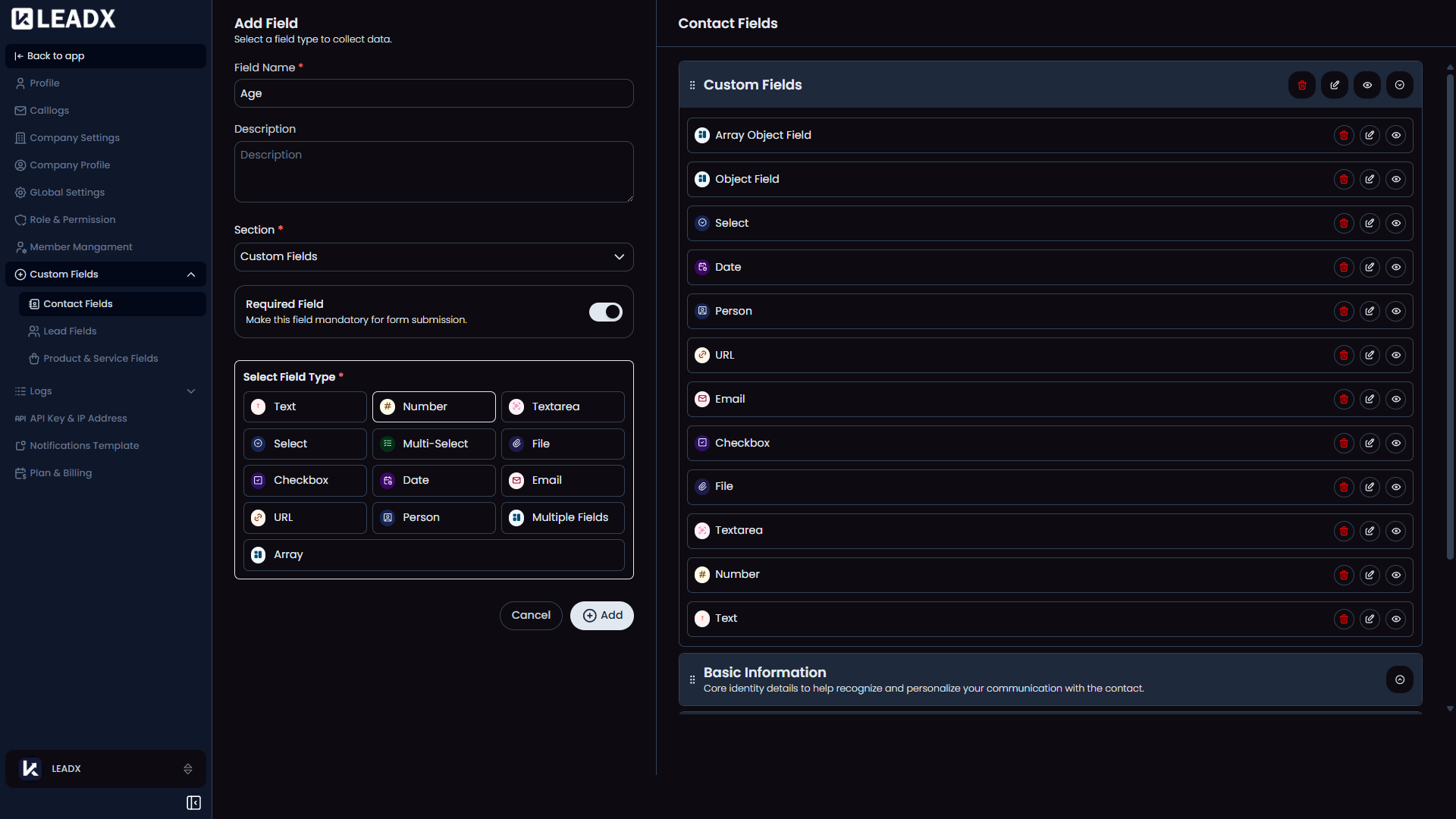
The Contact Fields page lets admins design both the contact form structure and the contact table schema by managing sections and fields.
Access
- Navigation path:
Sidebar > Settings > Custom Fields > Contact Fields - Route:
/contact-field - Access: available to users who can open custom field settings.
What Users Can Do
- create sections
- create fields
- edit sections and fields
- assign fields to sections
- hide or unhide optional sections/fields
- delete deletable sections or fields
Supported Field Types
- Text
- Number
- Textarea
- Select
- Multi-Select
- File
- Checkbox
- Date
- URL
- Person
- Object / Multiple Fields
- Array
Object and array fields can include nested child fields.
UI Structure
- left editor panel for
Add Section/Add Field - main preview area showing sections and fields
- default shortcut cards for quickly adding sections or fields
Conditional Rendering
- Edit/delete/hide controls only appear when the user has the matching permission.
- Mandatory sections cannot be hidden.
- Only deletable sections expose delete/edit actions.
- Hidden optional fields can be reattached from the
Available Custom Fieldslist.
Save / Delete Behavior
- Field create/update:
/protected/custom-field - Section create/update:
/protected/custom-section - Delete uses the shared confirmation modal
Important Note
- Changes here directly affect the Contacts table and Add/Edit/View Contact pages.